
Front Desk - DentOwl Success Guide
For Practices with Fully Integrated DentOwl Forms, Chats, and Calls
Summary
The most successful practices we work with are doing the following things in DentOwl:
- Completing contact profiles with relevant data if it's not in there automatically (name, email, phone)
- Responding promptly to inbound chats and forms - preferably via SMS since it has a superior read and reply rate to email
- Creating Opportunities for potential new patients, and updating them appropriately
- Drag cards for people who call in but don't schedule as "Lost" with a reason (Medicaid, service not offered, etc)
- Drag cards for people who do schedule appointments to "Scheduled Appointment"
For more details on how to do each of these, keep reading...
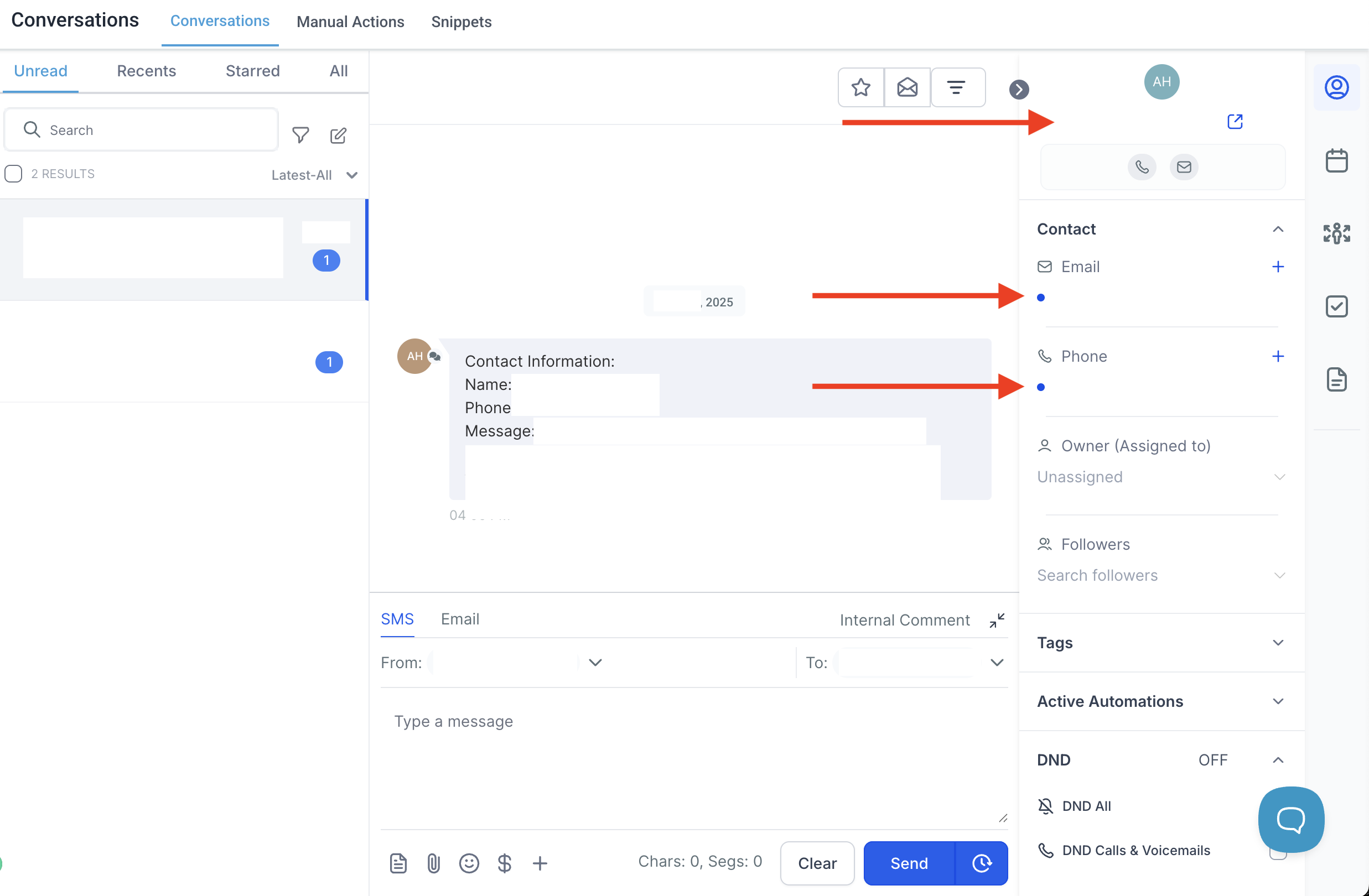
Complete Contact Profiles
When: Consistently as new contacts are created from calls, chats, and emails
How: Update name, email and phone from the Conversations tab
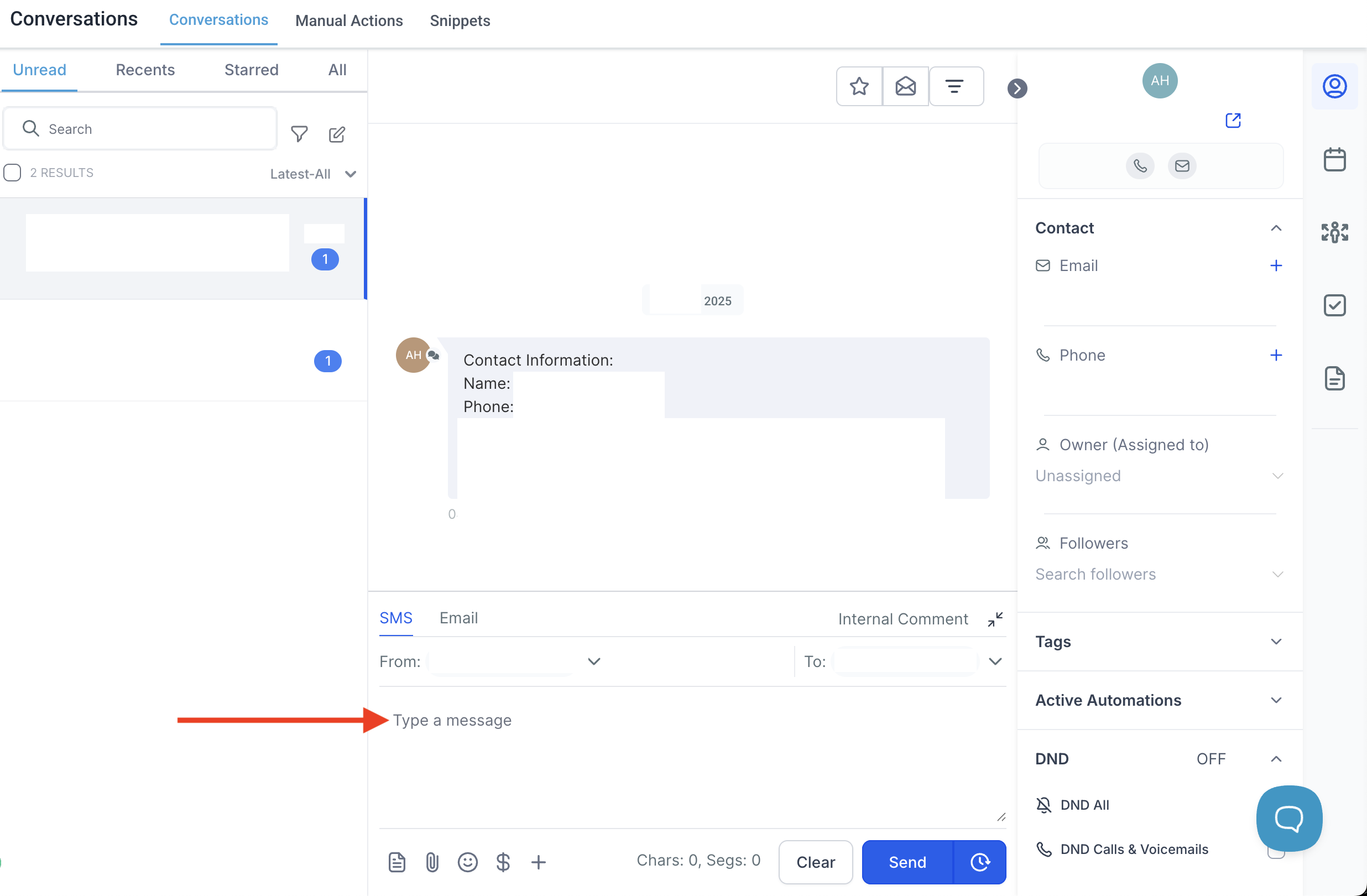
Respond To Inbound Chats & Forms
When: Consistently as new contacts are created from calls, chats, and emails
How: Communicate through the Conversations tab
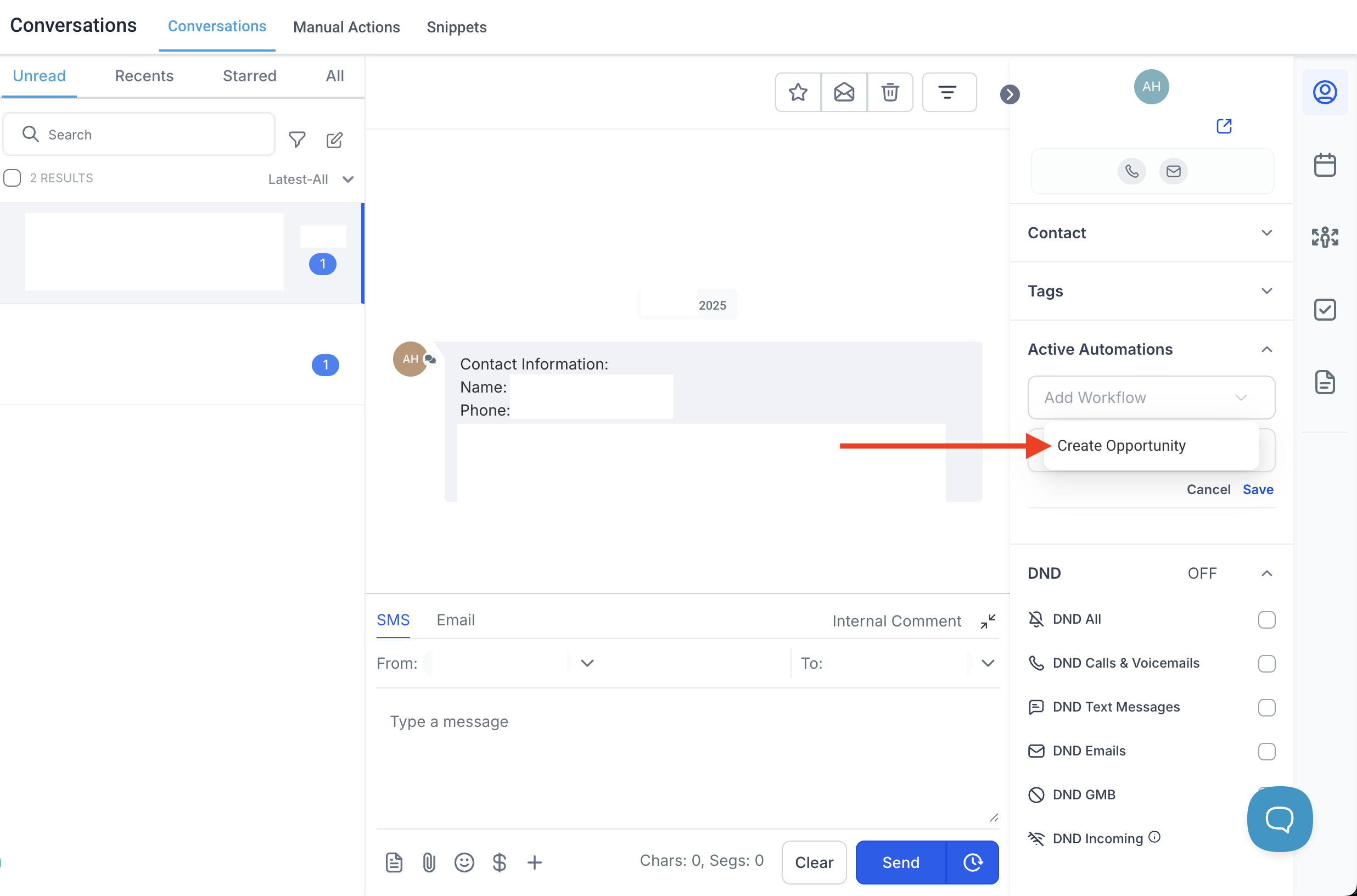
Create Opportunities
When: Any time that a new contact record is created in DentOwl that inquires about a service as a new patient, whether they schedule or not.
How: Under Active Automations, apply "Create Opportunity". This will create an opportunity under the Opportunities tab. If they schedule, move the opportunity to the Scheduled Appointment tab and your CSM will check in to see who showed during strategy calls.
Example Workflow
- John calls about veneers.
- System creates contact with phone number only.
- You answer and get full name and email → update First Name, Last Name, and Email fields.
- He schedules his first consult → apply Workflow "Create Opportunity"
- Under the Opportunities tab, move the newly created opportunity to Scheduled Appointment
Have Questions?
If you’re not sure how to update a contact, tag properly, or move a lead through the system, click the blue bubble at the bottom right of your DentOwl portal or email us at [email protected]!